Dashboard
The Dashboard is your central hub in XUIONE WebPlayer Pro, providing quick access to all content and showing your viewing activity at a glance.
Overview
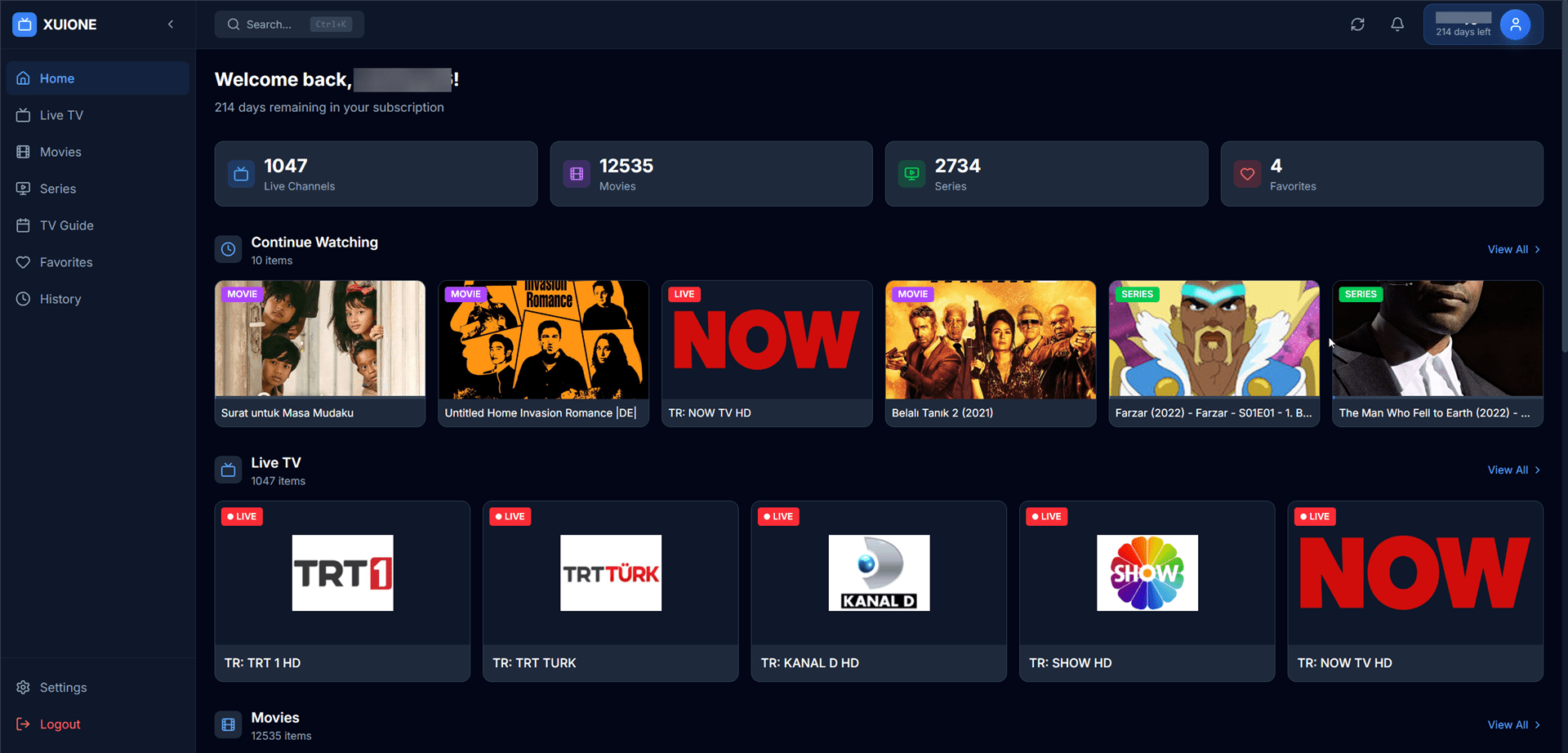
Dashboard with welcome message, statistics, and quick access sections
The Dashboard displays a personalized welcome message along with your subscription status and content statistics.
Statistics Cards
Four key statistics are displayed prominently:
| Card | Description |
|---|---|
| Live Channels | Total number of live TV channels available |
| Movies | Total movies in the VOD library |
| Series | Total TV series available |
| Favorites | Number of items you've saved to favorites |
Continue Watching
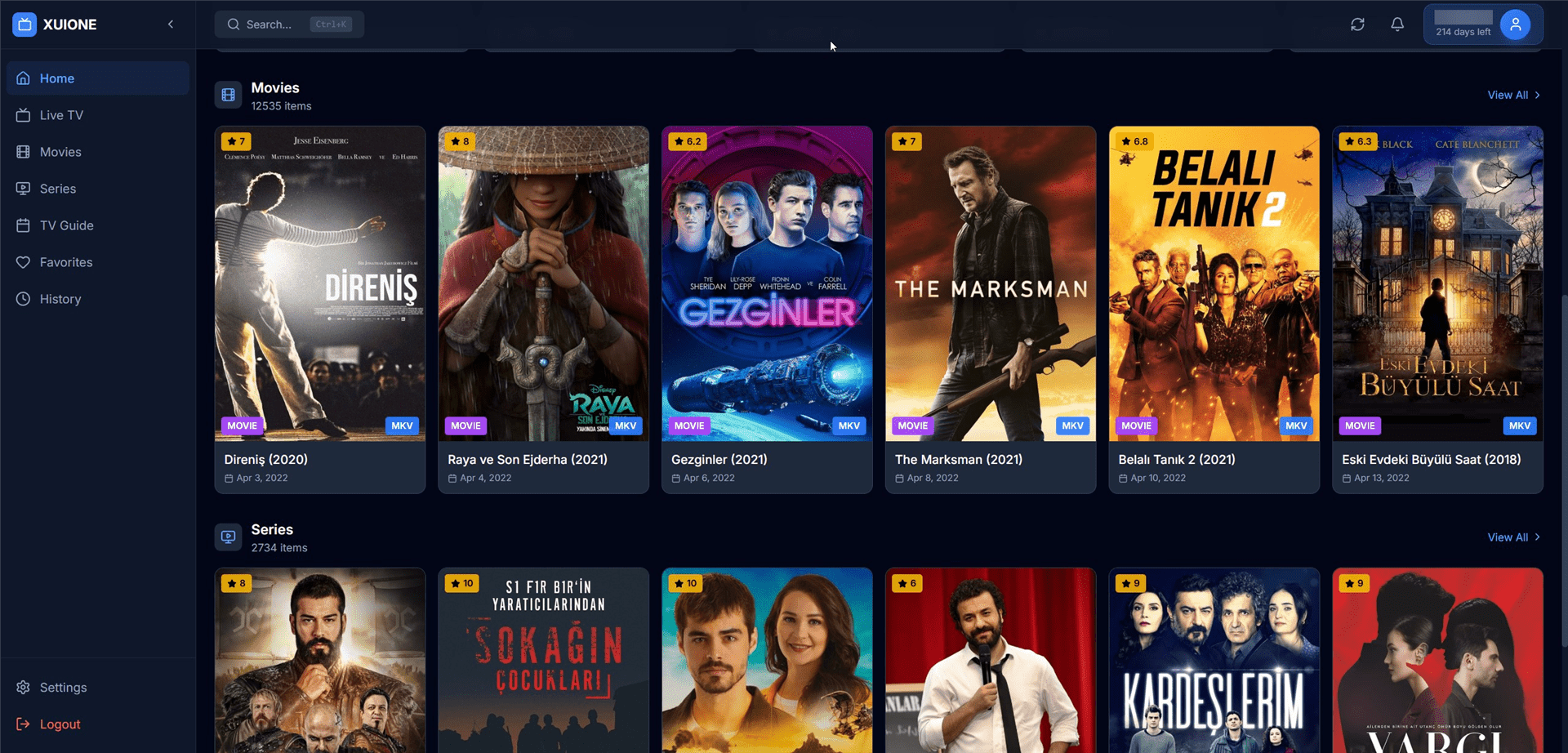
Dashboard showing Movies and Series sections with posters
The Continue Watching section shows content you've recently watched but haven't finished:
- Thumbnail — Preview image of the content
- Progress Bar — Visual indicator of how much you've watched
- Title — Name of the movie, series episode, or channel
- Resume Button — Click to continue from where you left off
Quick Access Sections
The Dashboard provides quick access rows for:
- Live TV — Popular or recently watched channels with LIVE badges
- Movies — Movie posters with titles, years, and ratings
- Series — Series posters with season counts
Click "View All" on any section to access the full content library.
Navigation Sidebar
The left sidebar provides quick navigation to all sections:
| Menu Item | Description |
|---|---|
| Home | Return to Dashboard |
| Live TV | Browse live channels |
| Movies | Access VOD library |
| Series | Watch TV shows |
| TV Guide | View EPG schedule |
| Favorites | Your saved content |
| History | View watch history |
| Settings | Configure the app |
| Logout | Sign out and return to server selection |