Live TV
The Live TV section allows you to browse and watch live television channels organized by categories.
Channel List Overview
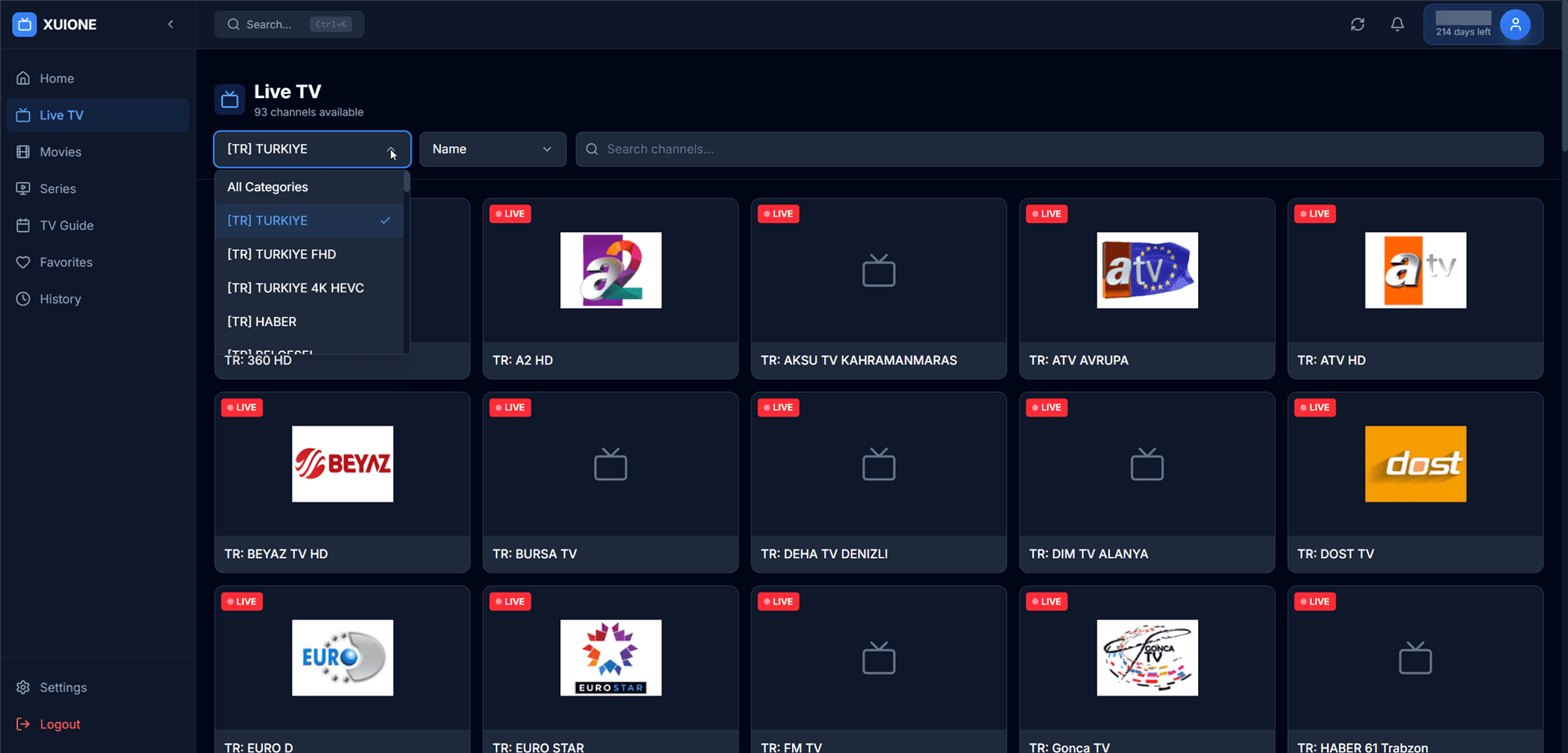
Live TV channels with category filter and search
Page Header
| Element | Description |
|---|---|
| Category Dropdown | Filter channels by category |
| Sort Dropdown | Sort channels by name |
| Search Field | Find specific channels by name |
Categories
Categories are provided by your IPTV server and typically organized by:
- Country (e.g., TR, UK, DE, US)
- Content type (Sports, News, Entertainment, Kids)
- Quality (HD, FHD, 4K, HEVC)
Live Player
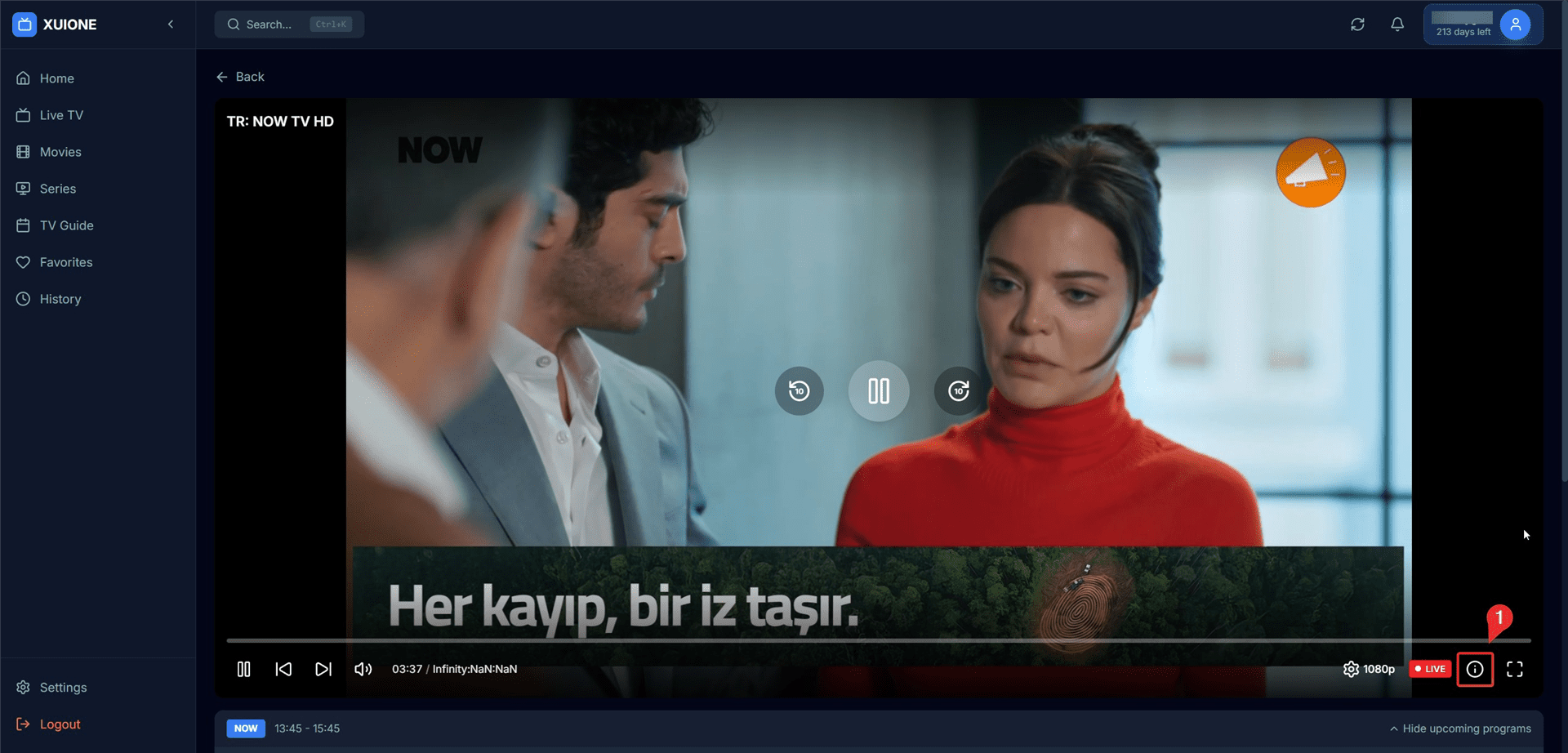
Live TV player with controls and subtitles
Player Controls
| Control | Description |
|---|---|
| Play/Pause | Toggle playback |
| Mute | Toggle audio |
| Volume Slider | Adjust volume level |
| Quality | Select stream quality |
| Subtitles | Toggle/select subtitles |
| Fullscreen | Toggle fullscreen mode |
TV Guide in Player
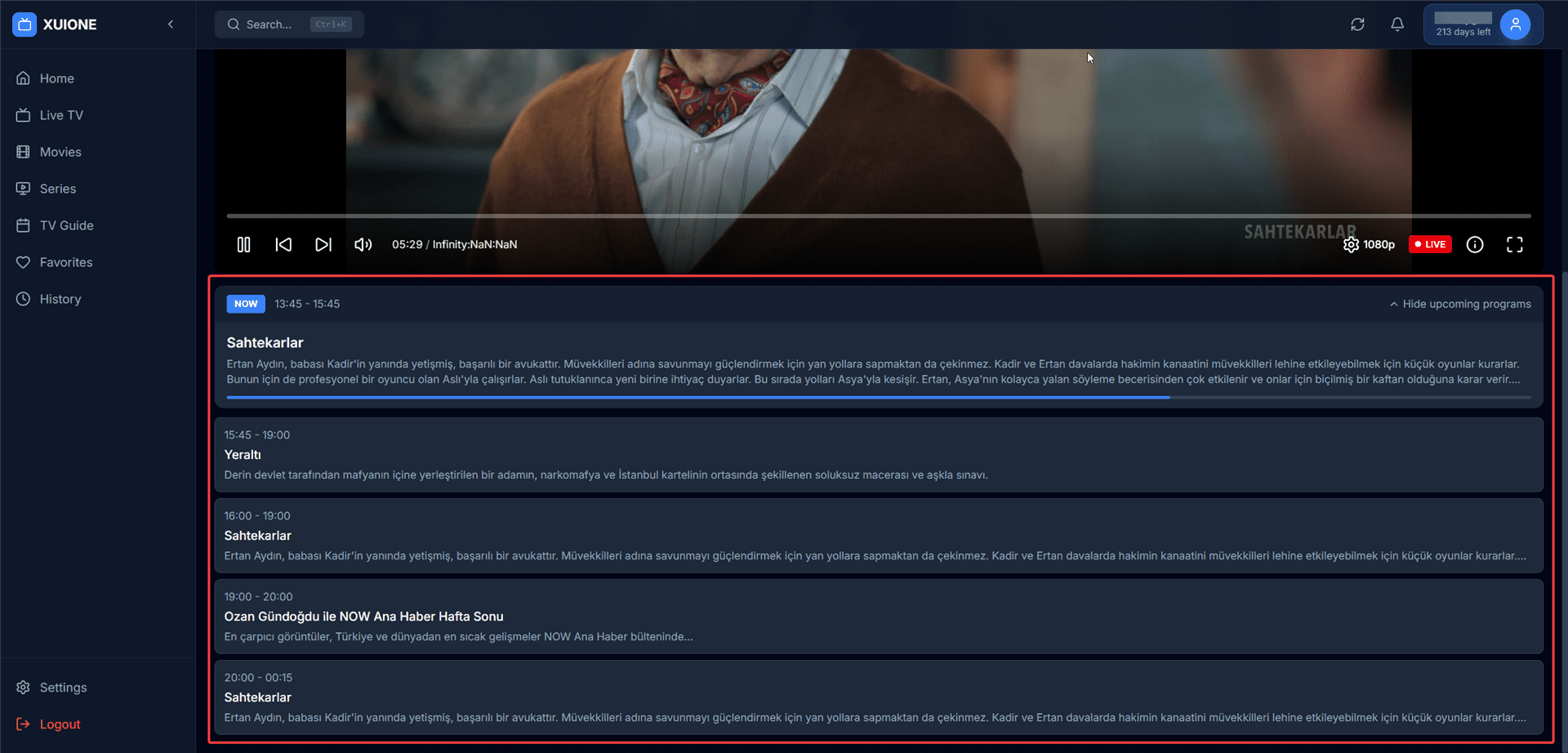
Program schedule displayed alongside the player
While watching, you can view the program schedule for the current channel showing:
- Currently airing program (highlighted with "NOW" badge)
- Upcoming programs with times
- Program descriptions
Stream Information
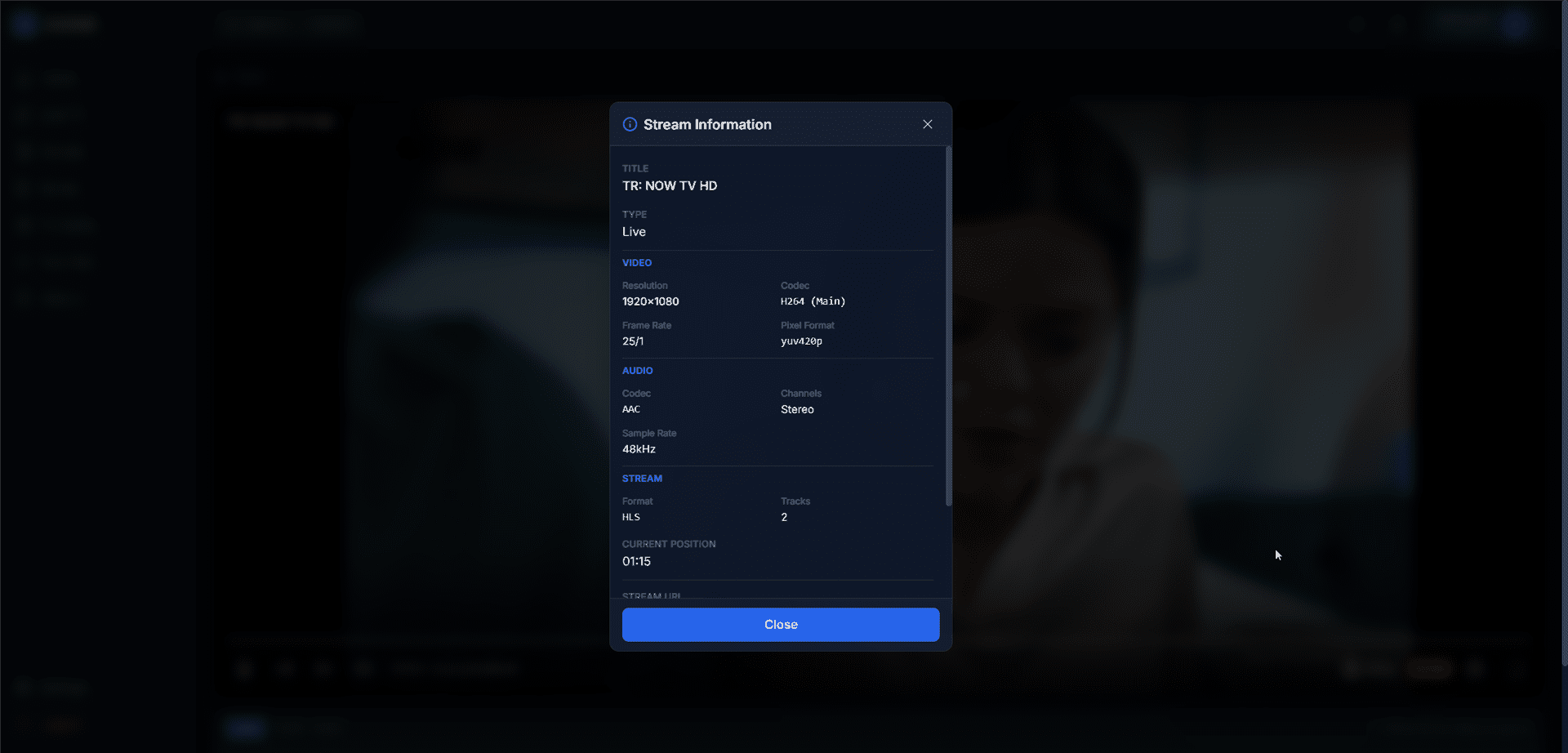
Technical stream details dialog
Click the info button to view technical details:
- Resolution, Codec, Format
- FPS, Bitrate
- Audio codec and channels
- Buffer status
Keyboard Shortcuts
| Key | Action |
|---|---|
| Space or K | Play/Pause |
| M | Mute/Unmute |
| F | Toggle Fullscreen |
| ↑ | Volume Up |
| ↓ | Volume Down |