TV Guide (EPG)
The TV Guide provides an Electronic Program Guide (EPG) showing program schedules for all live channels in both grid and list formats.
Grid View
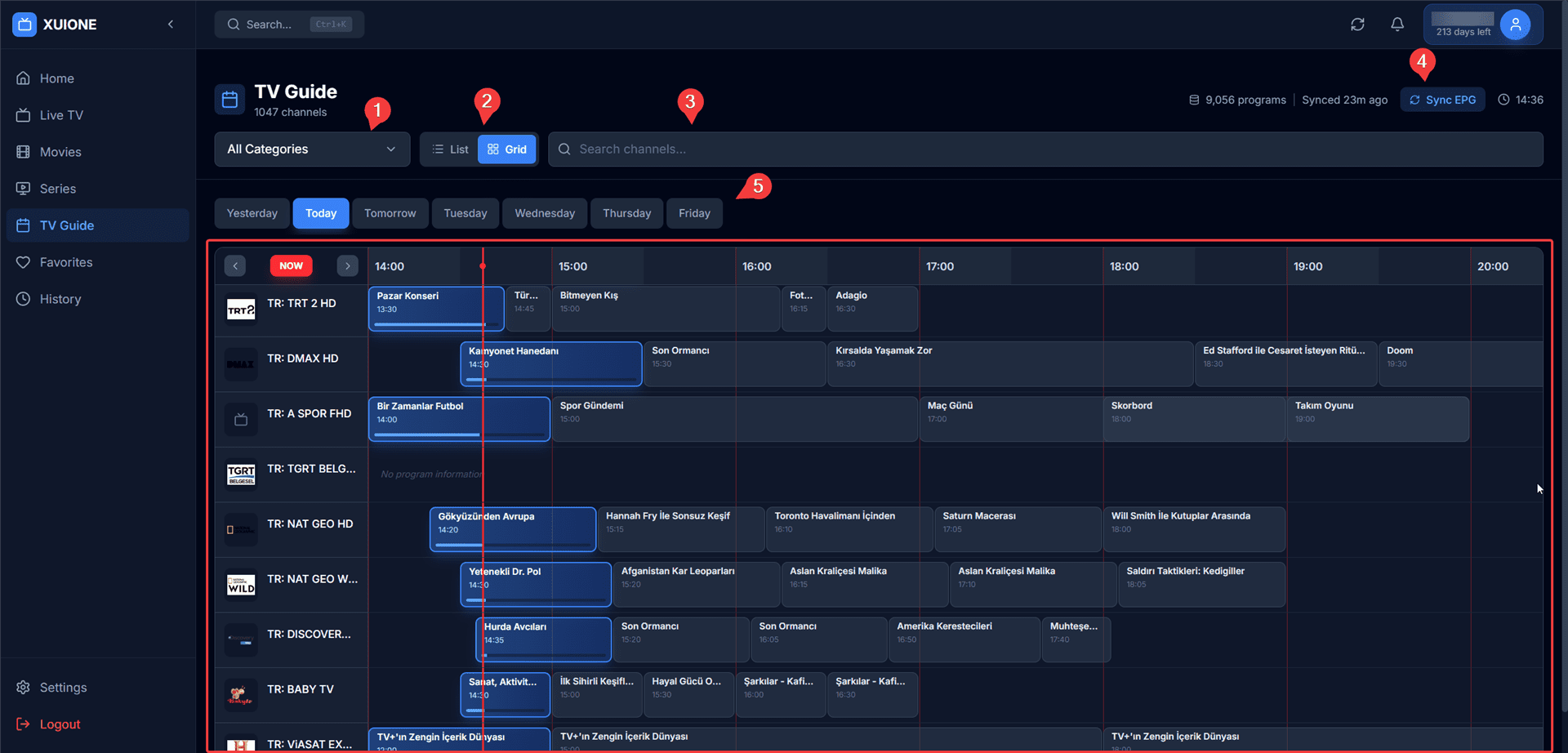
Traditional EPG grid layout with timeline
The Grid View presents channels on the left and programs across a horizontal timeline:
- Channel Column — Channel logos and names
- Timeline — Horizontal time slots
- Program Blocks — Color-coded program cells
- Current Time Line — Red vertical line showing present time
List View
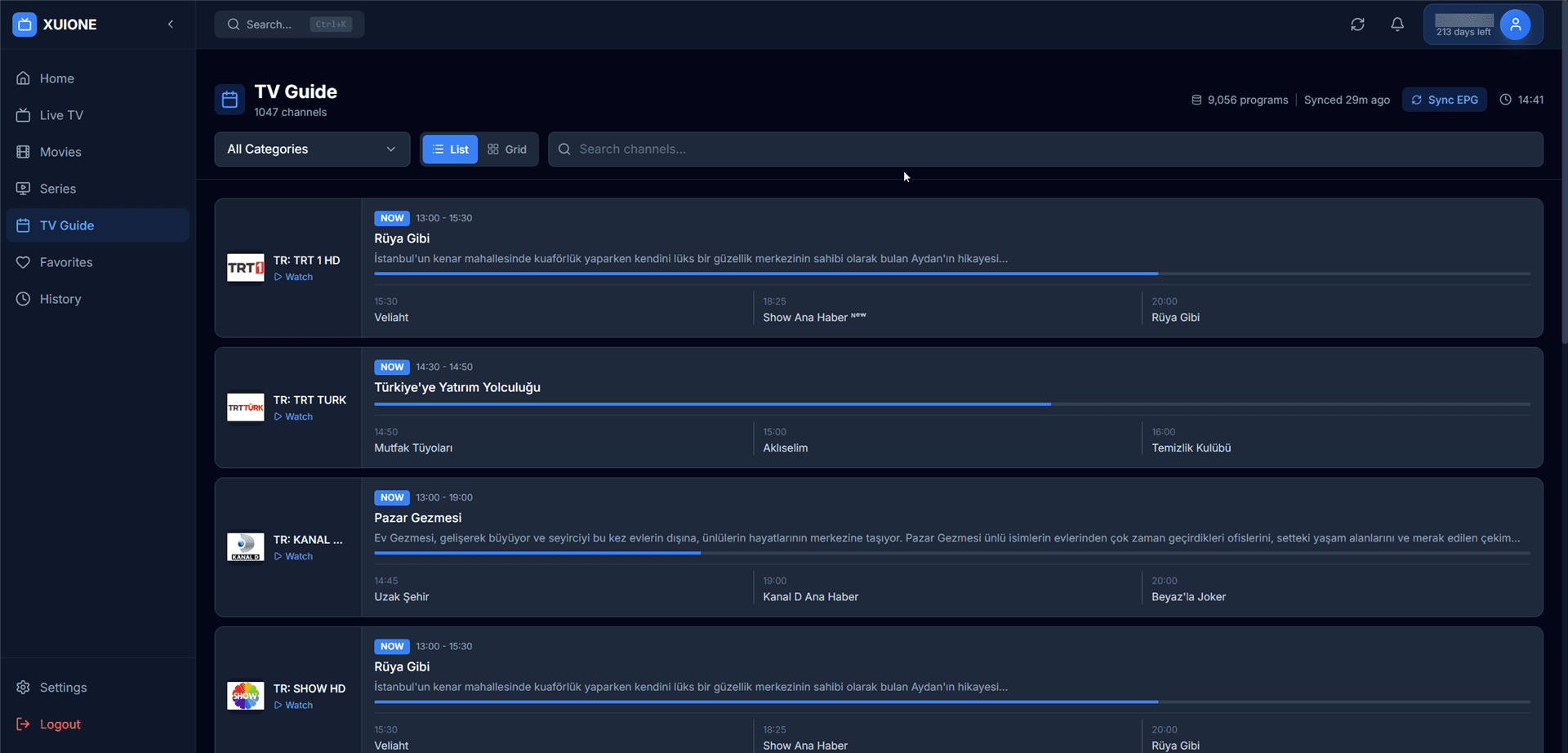
Detailed list view with program descriptions
The List View provides channel-by-channel program schedules:
- Channel Card — Logo, name, and watch button
- NOW Badge — Indicates currently airing program
- Program Schedule — Current and upcoming programs with descriptions
Page Controls
| Control | Description |
|---|---|
| List / Grid Toggle | Switch between view modes |
| Category Filter | Filter by channel category |
| Search | Find channels by name |
| Sync EPG | Manual refresh button |
| Day Navigation | Switch between days |
EPG Settings
Configure TV Guide behavior in Settings → TV Guide (EPG):
- Time Format — 12-hour or 24-hour display
- Auto Refresh — Automatic EPG updates
- Refresh Interval — How often to sync
- EPG Cache — View and manage cached data