Watch History
The Watch History feature tracks everything you've watched, allowing you to easily resume playback or rediscover previously viewed content.
History Page
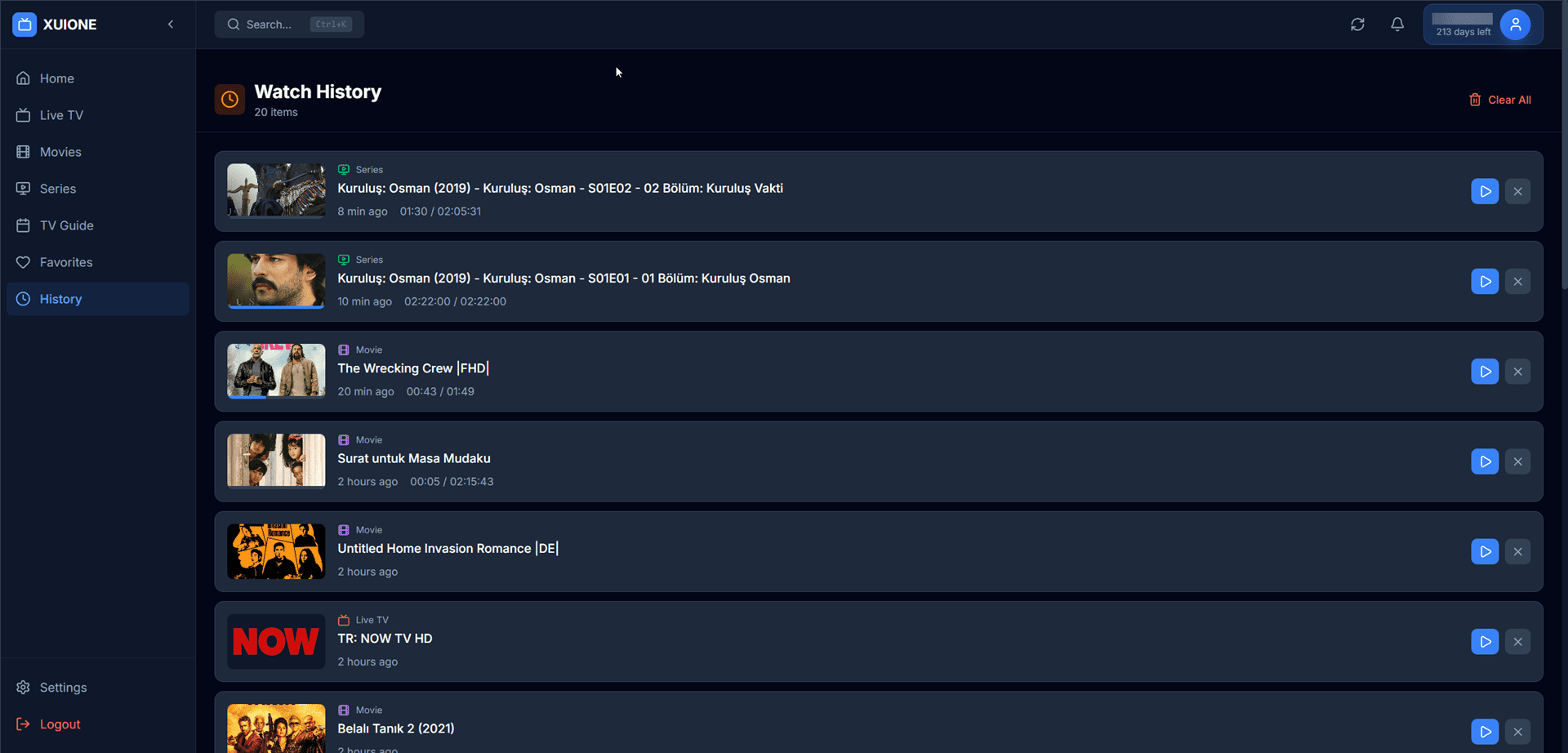
Watch history with progress tracking and resume buttons
History Entry Information
| Element | Description |
|---|---|
| Thumbnail | Preview image of the content |
| Content Type Badge | "Series", "Movie", or "Live TV" indicator |
| Title | Full title with episode info for series |
| Time Ago | When you watched (e.g., "8 min ago") |
| Progress | Current position / Total duration |
| Resume Button | Quick play button to continue watching |
| Remove Button | Delete from history |
Resuming Playback
Click the play button (▶) next to any history entry to immediately resume from where you stopped.
Progress Tracking
| Trigger | Action |
|---|---|
| Pause | Position saved immediately |
| Close Player | Position saved on exit |
| Switch Content | Previous position saved |
| Periodic | Auto-save every 30 seconds |
Managing History
- Remove Single Entry — Click the X button on the entry
- Clear All History — Click "Clear All" in the header
Continue Watching (Dashboard)
Items with 10-95% progress appear in the Continue Watching section on the Dashboard for quick access.