Movies (VOD)
The Movies section provides access to your IPTV provider's Video on Demand library, featuring films with rich metadata, categories, and playback controls.
Movie Library Overview
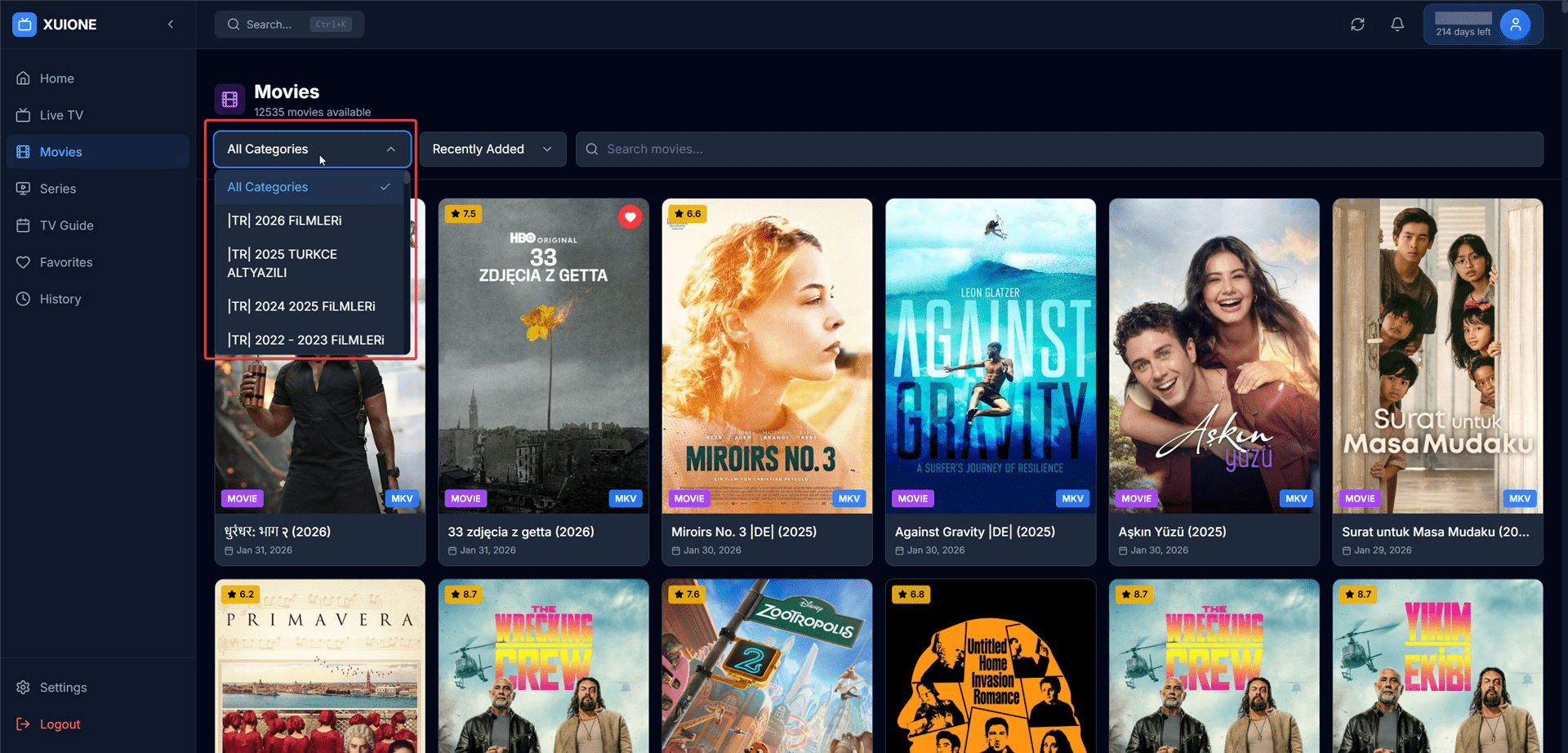
Movie library with category dropdown and poster grid
Categories & Sorting
Filter movies by genre or collection:
- Language/Country groupings
- Genres (Action, Comedy, Drama, Horror)
- Year collections
- Quality tiers (SD, HD, 4K)
Movie Details Page
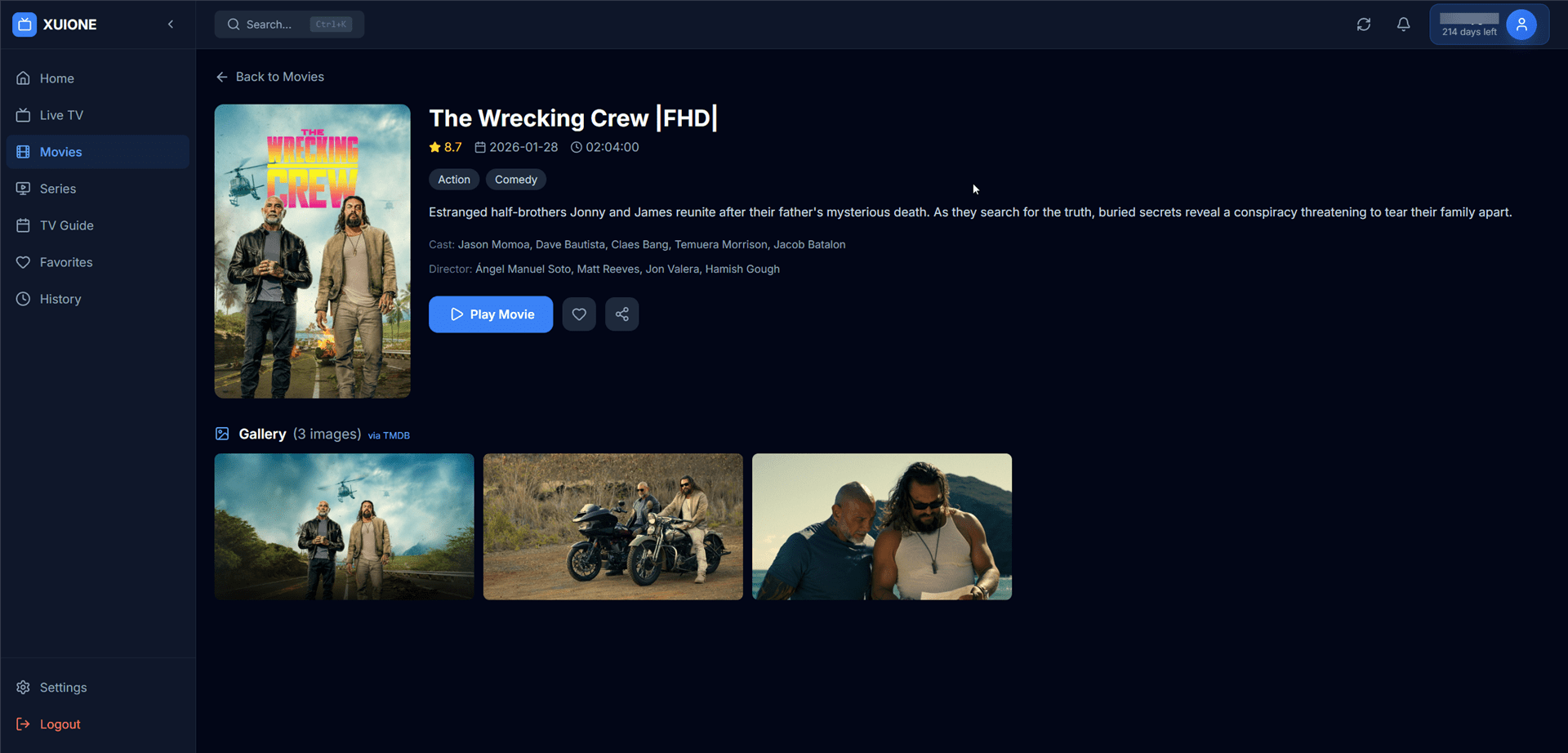
Movie detail page with poster, info, and TMDB gallery
Movie Information
| Section | Description |
|---|---|
| Poster | Large movie poster image |
| Title | Movie name with quality indicator |
| Rating | Star rating out of 10 |
| Duration | Runtime in hours and minutes |
| Genre Tags | Clickable genre badges |
| Description | Plot synopsis |
| Cast | Main actors and crew |
TMDB Image Gallery
When TMDB integration is enabled, movies display additional backdrop images from The Movie Database. To enable, see Settings → TMDB Integration.
Movie Player
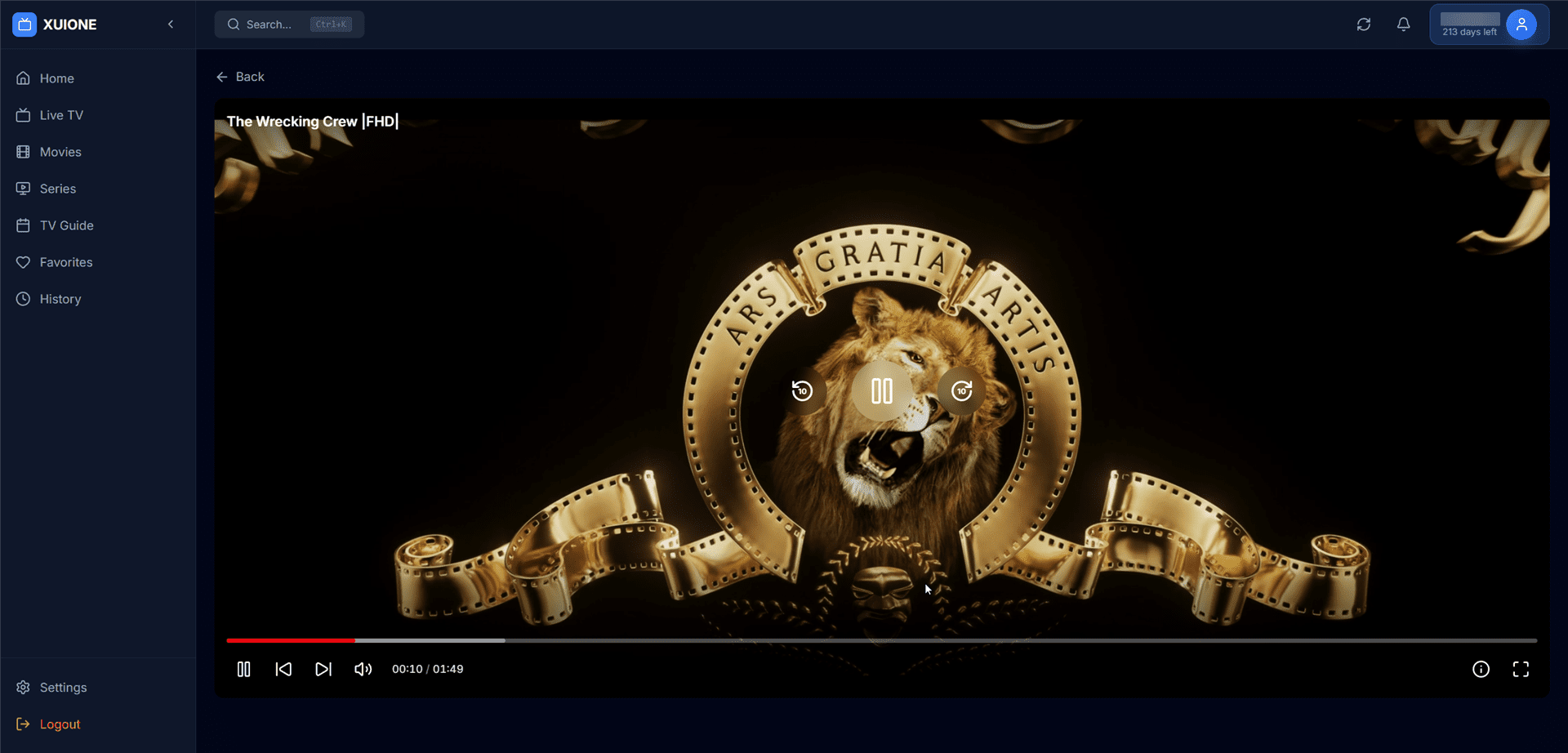
Video player with full playback controls
Player Controls
| Control | Description |
|---|---|
| Progress Bar | Seek to any position |
| Time Display | Current position / Total duration |
| Quality | Select video quality |
| Subtitles | Toggle and select subtitles |
| Playback Speed | 0.5x - 2x speed |
| Fullscreen | Full screen viewing |
Progress Saving
Your playback position is automatically saved. When you return to a movie, you can resume from where you stopped.
Keyboard Shortcuts
| Key | Action |
|---|---|
| Space or K | Play/Pause |
| ← | Seek backward 10 seconds |
| → | Seek forward 10 seconds |
| J | Seek backward 30 seconds |
| L | Seek forward 30 seconds |
| 0-9 | Jump to 0%-90% of video |
| C | Toggle subtitles |